


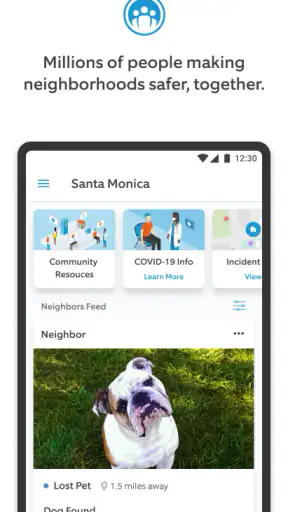
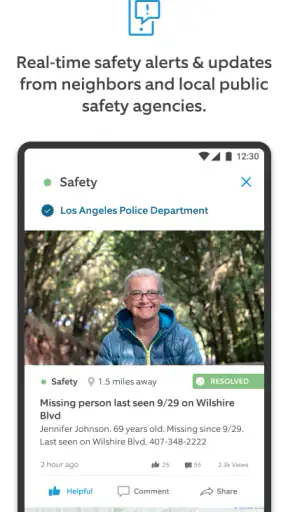
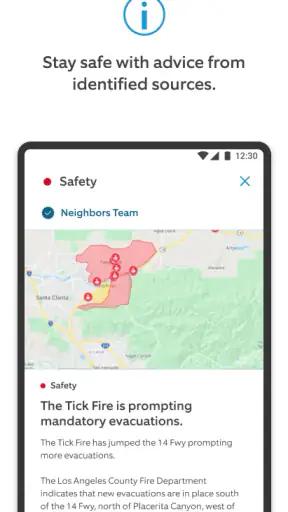
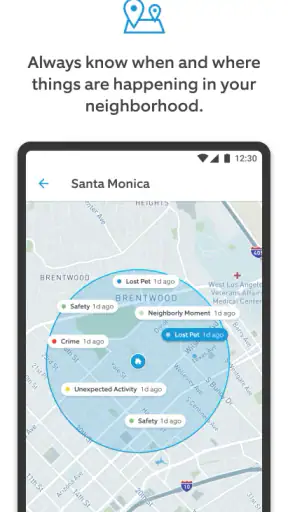

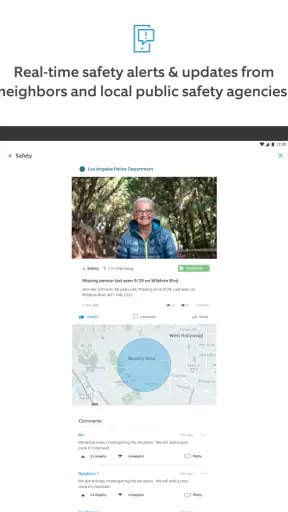
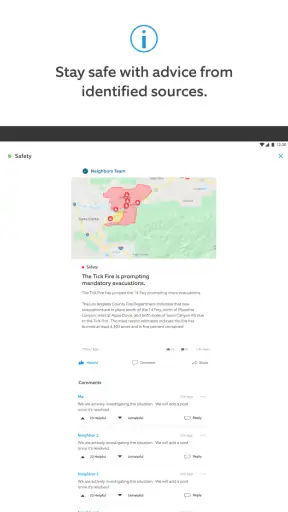
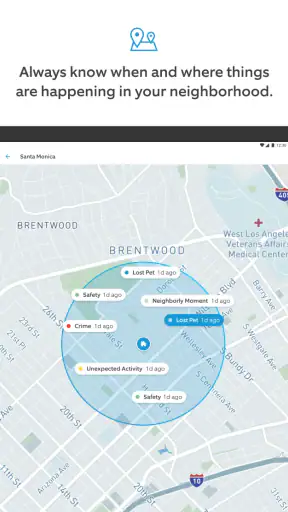
When I first open Neighbors by Ring, I do not think of it as a traditional news app. It feels more like a local information stream built around what is happening near homes, streets, and shared public spaces. That difference matters. Instead of asking me to follow national headlines or browse a broad social network, it focuses my attention on nearby safety conversations, alerts, and reports that may be relevant to daily life.
The app comes from Ring.com and sits in the News & Magazines category, although its usefulness is much more local than a typical digital newspaper. It is free to use, carries a Teen content rating, and has reached more than five million installs. Those figures suggest that it has become a familiar option for people who want neighborhood-level information rather than another general-purpose news feed.
My overall impression is positive, but I would not install it expecting a complete replacement for emergency services, a local newspaper, or a private messaging group. Its value comes from helping me notice patterns and updates that might otherwise pass unnoticed. The best way to use it is as one layer in a broader awareness routine: useful for context, helpful for quick local knowledge, but not a source I would treat as the final word in an urgent situation.
What the app is really like for a first-time user
The first thing to understand is the difference between neighborhood awareness and confirmed reporting. A local post can tell me that people nearby are discussing an unusual event, a suspicious situation, or a safety concern. That can be useful because it gives me a reason to pay attention, adjust a routine, or check an official update. At the same time, a neighbor’s observation is still an observation. I need to separate what someone saw from what has been verified.
That distinction is the key to enjoying the app without becoming anxious or overreacting. Local feeds naturally contain more uncertainty than a carefully edited news broadcast. A short report may lack context, use emotional language, or describe something that turns out to be harmless. I find the app most useful when I read it as an early signal rather than a definitive incident log.
The developer presents it with the idea of joining the neighborhood, and that is a fair description of the experience. The app is not simply a list of headlines. It encourages me to understand what people around me are noticing and discussing. That can be especially helpful after moving to a new area, returning home late, caring for children, or trying to understand recurring activity around an apartment building or residential street.
The current version is 4.43.0, and the app has been available since May 7, 2018. Its average rating is 4.7 from roughly seventy-nine thousand ratings, with around seventeen thousand written reviews. I would not use popularity as proof that every person will enjoy it, but it does indicate that the basic idea has connected with a large audience.
Where it fits beside other local information
Compared with a city newspaper, the app feels more immediate and more geographically focused, but usually less polished and less comprehensive. A newspaper is better for verified reporting, public decisions, investigations, and wider regional context. Compared with a neighborhood group chat, this app can be easier to browse because I am not forced to follow a fast-moving conversation or respond socially to every message. A chat may still be better when I need a direct answer from people I know.
It also differs from an official emergency alert system. Official alerts are the place I would look for instructions that require immediate action. This app can add local color and practical context, but I would never let a neighborhood post override directions from emergency authorities. That trade-off is central: the service can be faster and closer to home, while official sources are generally the better choice for confirmation and urgent guidance.
One less obvious benefit is that the feed can help me identify recurring concerns rather than only isolated events. If similar reports appear over time, I may notice a pattern that a single headline would hide. I still need to avoid drawing conclusions too quickly, but the local view makes it easier to ask sensible questions: Is this happening near my usual route? Is the report current? Is there an official update? Is the concern specific enough to change what I do?
Getting through setup without overcomplicating it
For a first-time user, I recommend approaching setup with a clear purpose. Before browsing deeply, I would decide whether I want general awareness, information about a particular area, or a way to understand local safety discussions. That small decision makes the feed easier to judge. Without a purpose, a stream of nearby reports can feel noisy; with one, I can quickly tell which posts deserve attention and which are not relevant to me.
I would also take a moment to think about how I want notifications to fit into my day. A local-awareness app can become irritating if every alert interrupts work, sleep, or family time. My preference is to use notifications as prompts to check the app, not as a constant background alarm. If the alerts feel excessive, reducing them is more sensible than uninstalling immediately, because the underlying feed may still be useful when opened on my schedule.
The first browsing session should be treated as orientation rather than investigation. I would scan several items and look for basic context: where the event is said to have happened, when the post appears to refer to, whether the wording sounds firsthand, and whether another source is mentioned. This habit is more valuable than rushing to react. It also helps me learn the tone of the local feed before deciding how much trust to place in individual posts.
A practical setup routine is to use the app at two different times of day. A quick look during a quiet period shows the normal rhythm of the feed, while another check during a busier part of the day reveals how quickly new information appears. That comparison helps me decide whether the app belongs in my daily routine or only in occasional check-ins.
The first meaningful success
My definition of a successful first session is not simply opening the app or reading a dramatic report. It is finding one nearby item that gives me useful context and then checking it responsibly. For example, if I notice a discussion about activity on a route I regularly use, I can compare the timing with my plans, look for corroborating information, and decide whether a minor adjustment makes sense. The success is making a calmer, better-informed choice.
A realistic everyday scenario would be coming home after work and seeing several local reports about an unusual situation close to a familiar road. I would not forward the most alarming wording to friends as if it were confirmed. Instead, I would check the location and time, see whether the concern affects my route, and look for official information before changing plans. If the details remain unclear, I might simply choose a busier route and continue checking later. That is a modest use case, but it shows where the app earns its place.
Another useful workflow is to open the app before hosting visitors, walking a dog, or taking children to a nearby park. I am not looking for reasons to cancel ordinary activities. I am checking whether there is a local issue that changes the practical details of the outing. This approach keeps the app grounded in decisions rather than turning it into a source of constant worry.
The most useful habit I found is to save the app’s information mentally as context, not as a command. A post may suggest caution, but it does not automatically tell me what happened, who was responsible, or what I should do. Treating every report as a complete story can lead to unfair assumptions and unnecessary fear. Reading carefully, checking timing, and waiting for confirmation makes the experience much more constructive.
Common points of confusion
The biggest confusion is assuming that everything in a local feed has the same reliability. It does not. A firsthand observation, a secondhand comment, an official notice, and a speculative reply should not carry equal weight. I try to identify the difference before I act. When a post is vague, emotionally charged, or missing a clear time and place, I treat it as a prompt for caution rather than evidence.
Another point of friction is relevance. “Nearby” does not always mean “important to me.” A report can appear within the general area while being far from my home, workplace, school run, or usual shopping route. I find it helpful to ask whether the location and timing actually intersect with my routine. If they do not, there may be no reason to let the item dominate my attention.
Some users may also expect the app to provide a complete archive of every local incident. That is not how I would use it. A community-based feed is shaped by what people notice and share, so quiet events may never appear and visible events may receive disproportionate attention. The absence of a post does not prove that nothing happened, just as a cluster of posts does not automatically prove that a serious threat exists.
Privacy and social comfort are worth considering as well. People who dislike community discussion, local notifications, or user-generated reports may find the experience stressful rather than helpful. I would skip it if I already feel overwhelmed by neighborhood rumors or if I prefer to receive information only through official channels. For those users, a city alert service or established news source may be a better match.
There is also a human trade-off in participating. Sharing a clear, factual observation can help neighbors, but posting while angry or guessing about motives can make a situation worse. I would avoid identifying individuals, repeating unverified accusations, or turning a safety concern into a public argument. The app works best when users contribute concise observations and leave conclusions to reliable authorities.
How to make the feed useful instead of stressful
I recommend a three-step reading method. First, locate the report in time and place. Second, separate direct observation from interpretation. Third, decide whether the information changes anything I need to do. This takes only a few seconds, yet it prevents the most common mistake: reacting to the emotional tone of a post before understanding its practical relevance.
A second tip is to compare the local report with a source designed for confirmation. Depending on the situation, that may mean checking an official public-safety notice, a local authority update, or a trusted news report. I do not need to investigate every minor item, but I do want confirmation before sharing a claim widely or making a serious decision.
A third insight is that timing matters more than dramatic wording. A calm report from a few minutes ago can be more useful than a vivid post describing something from much earlier. I pay attention to whether an item is current enough to affect my plans. This is particularly important when deciding whether to travel, meet someone, or take a different route.
I also find value in using the app as a conversation starter rather than a conclusion. If a report affects my building or street, I can ask a neighbor whether they have seen an official update or whether the issue has already been resolved. That approach turns the feed into a practical local-awareness tool without treating it as a courtroom record.
Who should use it and who should choose something else
Neighbors by Ring is a strong fit for people who want a closer view of their surroundings and are comfortable applying judgment to community reports. It can help new residents learn the character of an area, commuters notice issues near regular routes, and families add a local-awareness check to their routine. It is also useful for anyone who prefers short, nearby updates over a broad stream of national headlines.
I would be more cautious recommending it to someone who wants only confirmed journalism. That person may be happier with a reputable local newspaper or an official alert channel. I would also hesitate to suggest it as the sole information source for emergencies, because community discussion and emergency instruction serve different purposes. The app can supplement those tools, not replace them.
People who are sensitive to alarming content should begin slowly. A short, scheduled visit is better than repeatedly refreshing the feed. If the app makes ordinary neighborhood life feel threatening, it is not delivering a benefit, regardless of its rating or popularity. The right test is whether it helps me make sensible decisions with less uncertainty, not whether it gives me more things to worry about.
For me, the strongest reason to keep it installed is its local perspective. General news can tell me what is happening in a city or region, while this app brings attention closer to the places I actually move through. The weakness is the same feature viewed from another angle: local reports can be incomplete, repetitive, or emotionally colored. I accept that compromise because I know how to read the feed cautiously.
The app is free, which makes trying it low-risk from a cost perspective. Its Teen rating is a reminder that neighborhood reports may involve mature or unsettling subjects, so I would not treat it as a child-focused news tool. Adults deciding whether to use it should think about who may see notifications and whether the content suits the household’s routines.
My final recommendation after using it
I would recommend Neighbors by Ring to a friend who wants practical local awareness and understands the difference between a community report and confirmed news. I would suggest starting with a few calm browsing sessions, adjusting the notification experience to avoid interruptions, and practicing the time-place-source check before reacting. That path gets a first-time user to a meaningful benefit without making the app feel overwhelming.
My final view is that this is most valuable as a neighborhood context tool. It can help me notice what people nearby are discussing, recognize possible patterns, and make small everyday choices with more awareness. It is less suitable as a definitive incident database, a replacement for official alerts, or a social space for heated speculation.
After trying it, I would keep it available for occasional checks rather than treating it like a nonstop headline service. When I use it with restraint, the feed adds something that a conventional news app cannot: a sense of what may matter close to home right now. Its real strength is not telling me what to fear, but helping me ask better local questions before I act.


